
The iptv smarters failed to authorize error occurs when the media player cannot validate your login credentials with your provider’s authentication server. In 2026, this is primarily caused by hidden syntax duplicates in the server URL, an expired iptv smarters pro subscription, strict ISP firewall blocks, or missing app DNS registrations. You can resolve this issue in under five minutes by removing trailing slash duplicates from your M3U line, switching from an HTTPS to an HTTP protocol, clearing your streaming device’s app cache, or deploying a reliable VPN to bypass carrier throttling.
Table of Contents
Introduction to IPTV Smarters Authentication Faults
Few things are more frustrating than preparing to watch a live sporting event or premium broadcast, only to be blocked by a sudden login failure. For cord-cutters across the United States, IPTV Smarters Pro remains the absolute gold standard for media playback software. However, the app itself does not provide content; it is a structural shell dependent on external server connections.
When your screen freezes on the dreaded “Authorization Failed” alert, it means the handshake between the app UI and your provider’s database has broken down. As security protocols and ISP filtering rules tighten across US networks, understanding the technical fixes for this error is essential. This definitive guide walks you through the exact steps required to clear the block and restore your stream immediately.
Understanding the Root Causes of the IPTV smarters failed to authorize
To fix the issue permanently, you must first pinpoint exactly why the app is rejecting your connection parameters. It is rarely a random software glitch; rather, it is a specific validation block occurring at the server level.
Server URL Configuration and Formatting Mistakes
The single most common culprit behind the failed to authorize iptv smarters prompt is a subtle formatting error hidden inside the Portal URL. Media players are incredibly case-sensitive and intolerant of syntax issues.
- The Trailing Slash Bug: Many automated registration emails copy over server paths that include double forward slashes (e.g., http://example.com//). IPTV Smarters struggles to parse these trailing duplicates, causing an immediate timeout.
- Protocol Incompatibility: A massive portion of independent streaming networks operate exclusively on older standard text protocols. If you force the application to look for an encrypted https:// prefix instead of http://, the validation handshake fails immediately.
Carrier Level Blocks and Firewalls
Major internet service providers across the USA frequently implement aggressive security filters designed to intercept high-volume data streams. If your carrier flags the destination IP address of your hosting server, they will quietly drop the authentication packets, leaving your app stranded at the login phase.
Step-by-Step Fixes for Failed to Authorize IPTV Smarters
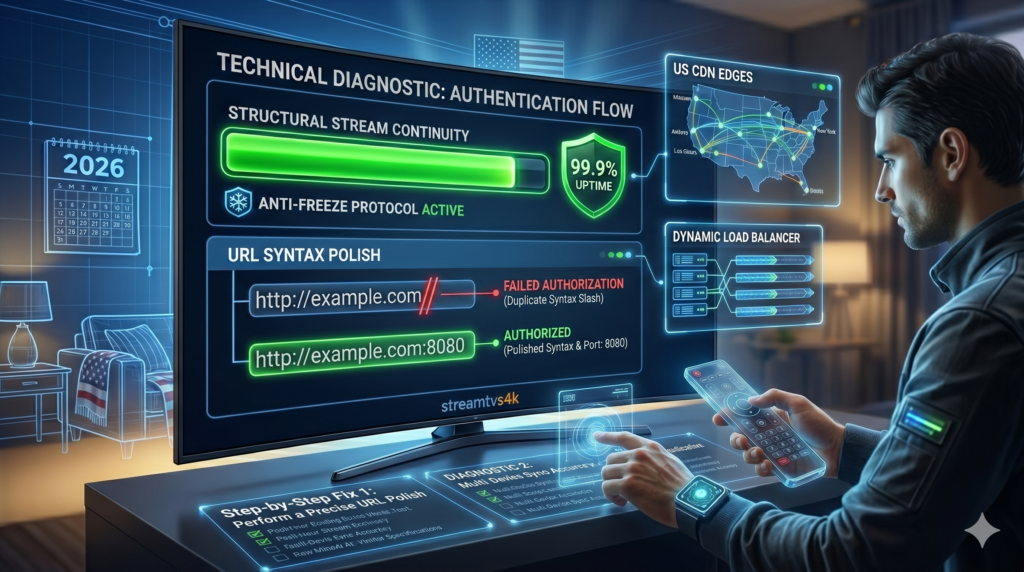
If you are currently locked out of your profile screen, follow this sequential engineering checklist to isolate and clear the authentication block in under five minutes.
1. Perform a Precise URL Polish
Open your profile configuration settings and inspect your server line with extreme care. Delete any extra spacing at the absolute beginning or end of the text block. Ensure you have appended the correct custom port number (such as :80 or :8080) to the tail end of the domain if your provider mandates specific port routing.
2. Flush the App Cache and Force Restart
Over time, corrupt local database files and overloaded metadata tables can cause the app to feed old, inaccurate credential strings to the login gate.
- Navigate directly to your streaming stick or box system settings.
- Select Applications and locate the IPTV Smarters Pro icon.
- Click Clear Cache (do not click clear data unless you want to re-type everything) and select Force Stop. Relaunch the player to establish a clean session.
3. Change Smart TV DNS Allocations
If your local provider’s default routing servers are struggling to resolve the network path to your stream host, changing your DNS directly on your TV or media box can bypass the bottleneck entirely. Manually adjust your network configurations to point toward public, high-speed DNS networks like Google DNS (8.8.8.8) or Cloudflare (1.1.1.1).
Configuring IPTV Smarters Pro Mac and Smart TV Versions
Troubleshooting steps can shift slightly depending on the exact hardware ecosystem you are deploying inside your home theater setup.
Optimizing the Apple Desktop Client
When setting up iptv smarters pro mac frameworks, localized security firewalls within macOS can intercept unsigned network playlists. Ensure that the app has been granted full inbound network clearance in your Mac System Settings under the Security & Privacy menu. If your playlist fails to load natively on a Mac, verifying your account parameters on a smartphone over a cellular network can quickly determine if your home router is blocking the app.
Smart TV App Compatibility
Smart TVs running integrated operating systems (such as Samsung Tizen, LG webOS, or Hisense VIDAA) feature strict application storage limits. If the native television app completely refuses to validate your lines, it often points to an outdated software build or an app validation conflict on the TV store. Uninstalling the application entirely, restarting the television, and pulling a fresh download directly from the official store is a highly reliable fix.
Managing Your IPTV Smarters Pro Subscription Safely
An overlooked reality is that server-side validation messages can simply mean your service access window has closed. Maintaining an active iptv smarters pro subscription profile requires tracking your renewal timelines carefully.
AUTHENTICATION TROUBLESHOOTING MATRIX
| If App Displays | Primary Technical Cause |
| “Authorization Failed” | Incorrect URL syntax, duplicate slashes, or an expired service term |
| “Network Error / Timeout” | ISP carrier throttling, active firewall, or server infrastructure offline. |
| “Infinite Blue Spinning Wheel” | Application cache corruption or incompatible hardware operating system build. |
Verifying Account Status with Your Provider
Before digging deep into complex network adjustments, check your payment dashboard. Many independent operators terminate server access immediately on your expiration date, which triggers a generic authorization failure screen inside your media player. If your line fails across multiple independent devices simultaneously, your account is either expired or locked by your provider.
Alternative Media Players to Consider
If you have verified your credentials, polished your URLs, and cleared your network paths, but the application still refuses to complete the handshake, the underlying issue might be a compatibility bug within that specific app version.
- TiviMate Premium: Widely regarded as an exceptional alternative for Android and Fire Stick environments, offering a premium user interface and highly stable handling of long M3U playlists.
- OTT Navigator: A lightweight, reliable option that processes server changes smoothly and features highly granular buffer adjustment controls.
- IBO Player: A highly stable, card-based alternative player frequently used on Samsung and LG Smart TVs when Smarters hits a terminal configuration loop.
Summary of Key Takeaways
Resolving an authentication freeze requires an organized, technical approach:
- Syntax Perfection: Treat your credential strings with absolute precision; eliminate double slashes and trailing spaces.
- Cache Integrity: Keep your application agile by flushing out stored temporary data blocks periodically.
- Network Freedom: Use public DNS paths or private virtual networks to keep your streaming packets clear of local carrier interception.
Frequently Asked Questions (FAQ)
Why does it say “Authorization Failed for above host” suddenly?
This message pops up when your application successfully reaches the server address, but the server actively rejects the transaction. This is driven by entering an incorrect password, an accidental uppercase letter in your username, an expired account status, or an unauthorized duplicate login on a separate device.
Can I fix the authorization issue by changing from HTTPS to HTTP?
Yes, absolutely. Many streaming server nodes do not carry active SSL certifications for media distribution. If your app defaults to an https:// prefix, changing it manually to a standard http:// string will often clear the authorization error instantly.
Does changing my TV’s DNS settings help with login loops?
Yes. Switching your streaming hardware over to Google DNS (8.8.8.8) or Cloudflare DNS (1.1.1.1) helps your hardware find the absolute fastest and cleanest route to your provider’s database, bypassing regional lookup failures.
Tired of dealing with unstable configurations and frustrating login errors? Browse our premium streaming services today to experience pristine 4K video delivery, 99.9% verified server uptime, and zero setup stress.